A wall mount network cabinet is a compact, wall-fixed enclosure designed to house switches, patch panels, routers, and other network equipment in spaces too limited for a floor-standing rack, while still keeping cabling organized, ventilated, and protected. For IT planners, integrators, and procurement teams sourcing from a wall mount network cabinet manufacturer or supplier, the direct takeaway is this: wall mount cabinets are the practical choice whenever available floor space is limited or when equipment needs to be installed above ground level, such as in branch offices, retail premises, transportation hubs, or residential network closets, while floor-standing cabinets remain better suited to higher U-capacity data center and server room deployments. The sections below cover the common wall mount cabinet types, their structure and working principles, how to match a cabinet to a specific application, a detailed comparison against floor-standing cabinets, maintenance guidance, and answers to the questions most frequently asked during specification and procurement.
Content
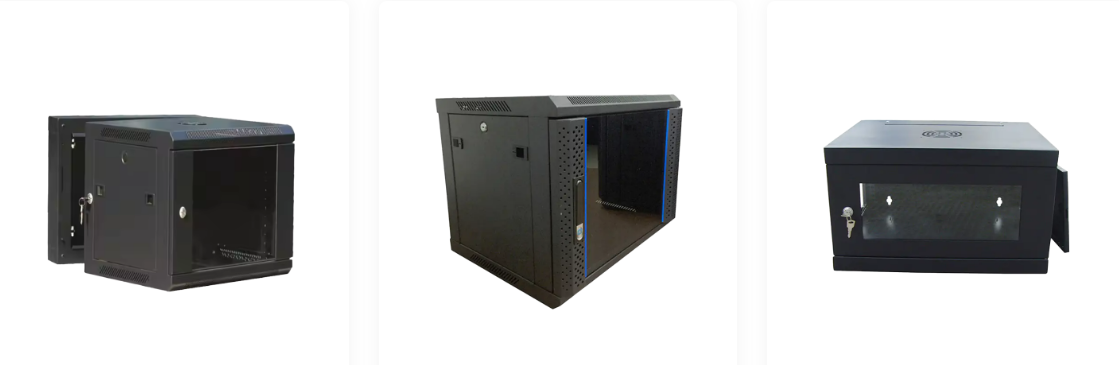
Wall mount network cabinets are generally categorized by door configuration and enclosure depth, both of which affect equipment access, ventilation, and how much cabling slack the cabinet can accommodate. Selecting the right type depends on how frequently the cabinet will be accessed and how much equipment it needs to house.
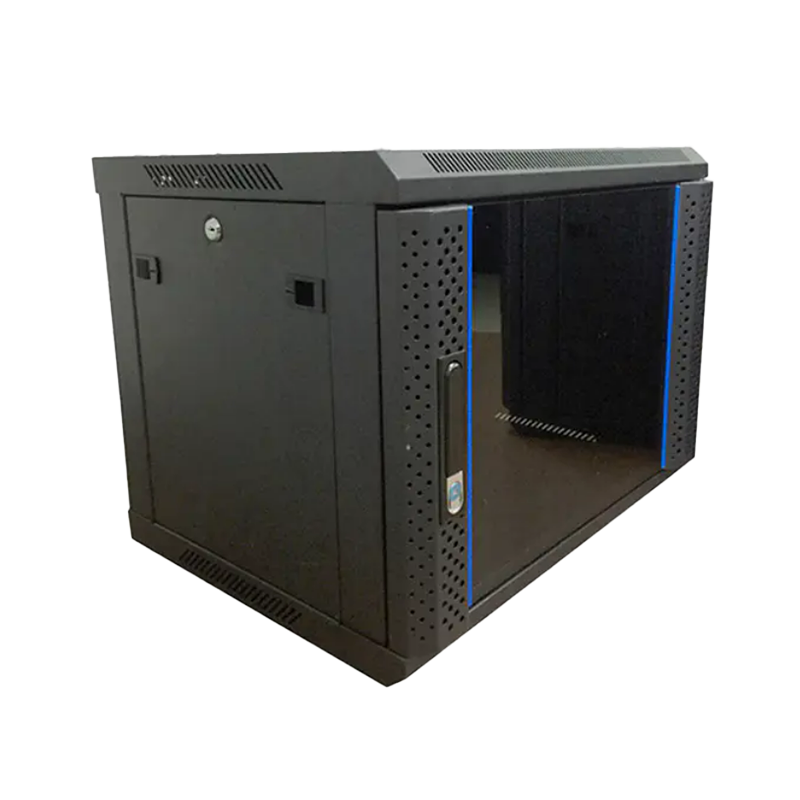
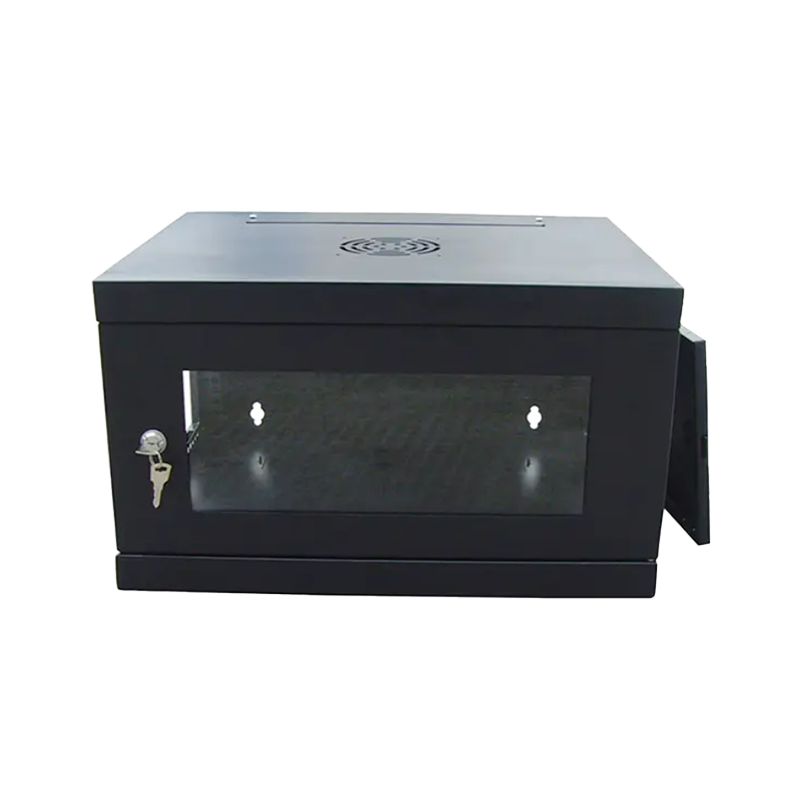
The most common configuration, offering front access for daily patching and equipment adjustment while keeping the rear panel fixed for a compact wall footprint.
Provides access from both the front and rear, simplifying cable routing and equipment installation in cabinets that hold denser patching or multiple active devices.
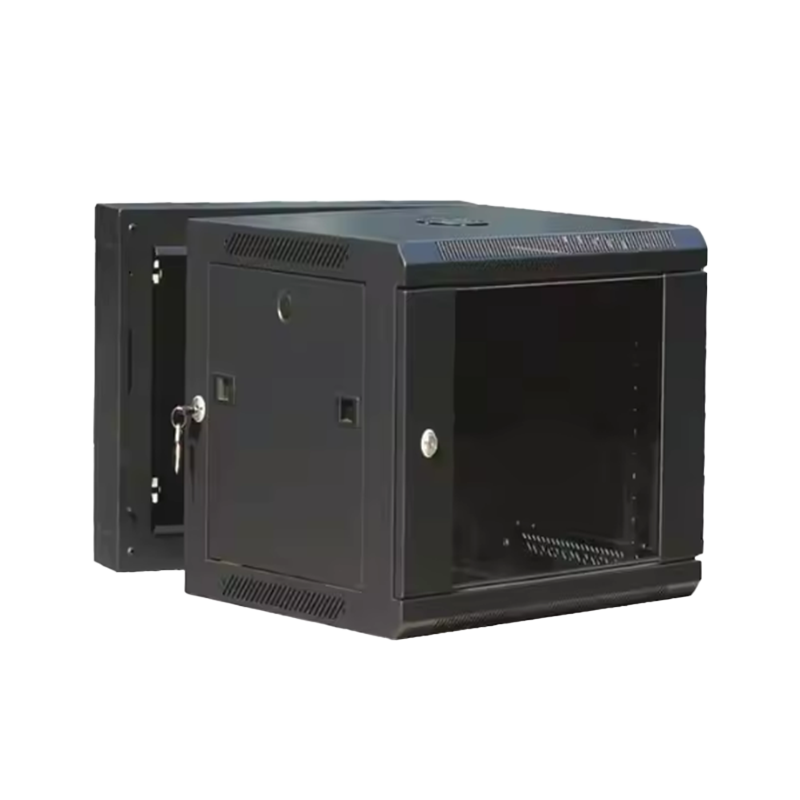
Uses a hinged internal frame that swings outward from the wall, giving technicians full rear access for cabling work without dismounting the enclosure.
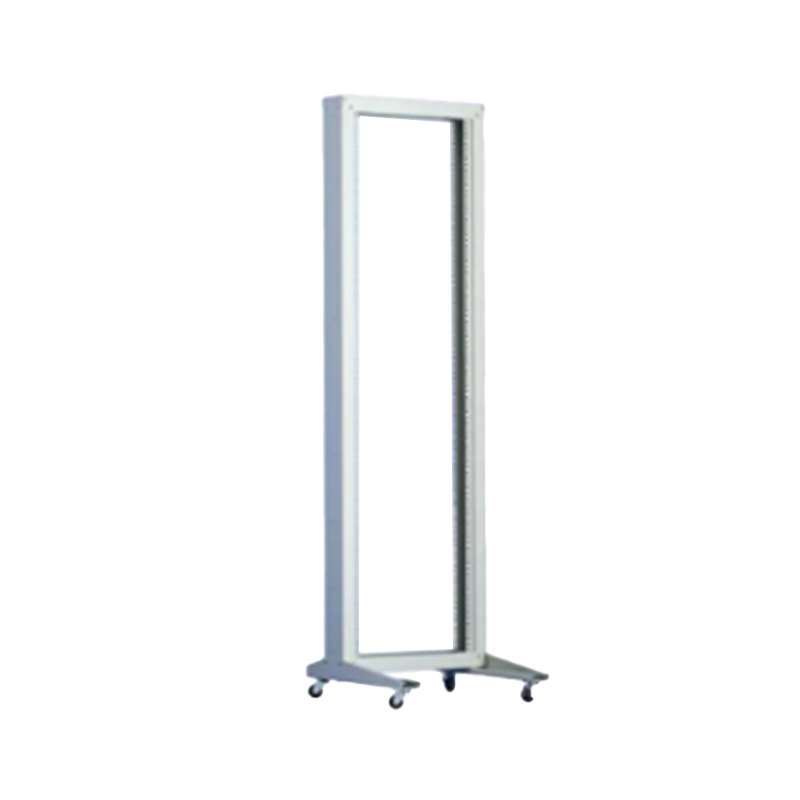
An enclosure-free mounting frame used where physical access control is less critical, prioritizing maximum airflow and the fastest equipment access.
Door material is another distinguishing characteristic, with tempered glass doors commonly used where visual monitoring of equipment status lights is useful, and perforated or solid metal doors used where airflow or physical security is the higher priority. Cabinet depth also varies significantly, since shallow-depth cabinets suit switches and patch panels while deeper cabinets are needed to accommodate servers, UPS units, or equipment with rear cabling and power supplies that extend further back.
A wall mount network cabinet works by combining a fixed steel or aluminum frame, standard 19-inch mounting rails, and a lockable enclosure to hold networking equipment securely at a set height above the floor, while managing airflow and cable routing within a confined footprint. The structural elements are designed to work together so that equipment stays organized, cooled, and protected even in a relatively small enclosure volume.
| Component | Function |
|---|---|
| Wall Mounting Bracket | Fixes the cabinet frame securely to the wall structure at the desired installation height |
| 19-Inch Mounting Rails | Standardized rails that accept switches, patch panels, and other rack-mount equipment by U height |
| Front/Rear Door and Side Panels | Enclose equipment for physical security and dust protection while allowing controlled access |
| Ventilation Openings and Fan Mounts | Allow passive or fan-assisted airflow to manage heat generated by active equipment |
| Cable Management Rings and Channels | Route and organize patch cables and power cords within the confined cabinet interior |
| Locking Mechanism | Restricts physical access to equipment and cabling to authorized personnel |
Cabinet capacity is generally described in rack units, or U, with common wall mount sizes ranging from around 4U for very compact installations up to 15U or more for cabinets supporting several active devices and patch panels. Because wall mount cabinets have a smaller internal volume than floor-standing racks, thermal management is a more critical design consideration, which is why ventilation openings, fan mount provisions, and cabinet depth all need to be matched to the expected equipment heat load before installation.
Wall mount network cabinets are applied across enterprise offices, public transportation hubs, commercial premises, network distribution points, and residential network closets, with selection driven mainly by the number and type of devices to be housed, available wall space, and how frequently the cabinet needs to be accessed. Getting these factors right at the specification stage avoids later problems such as inadequate cooling or insufficient cable management space.
Typical Application Scenarios
|
Key Selection Criteria
|
U capacity is often the starting point for selection, since it directly determines how many switches, patch panels, and other rack-mount devices a cabinet can hold, while leaving room for future expansion. The line chart below illustrates a general, representative pattern of how required cabinet capacity tends to relate to network complexity as the number of connected devices in a site grows, which is useful context when scoping a wall mount cabinet for a new or expanding installation.
Before reviewing the chart, note that actual capacity needs vary by site design, equipment type, and planned redundancy, so the line shown represents a general planning pattern rather than a fixed formula. The horizontal axis represents an increasing number of connected network devices at a site, from a small branch office up to a larger distributed office floor, while the vertical axis represents the general trend in recommended cabinet U capacity as that device count grows. The line illustrates why very small sites can often be served by compact cabinets, while sites with denser connectivity needs generally require a step up in capacity well before the cabinet becomes physically full.
The upward trend of the line reflects the general relationship between device density and cabinet capacity needs, but the curve is not perfectly linear, since recommended capacity tends to accelerate somewhat as a site moves from a small branch installation toward a denser mid-size office floor. This is because denser sites typically add not only more switches but also more patch panels, cable management accessories, and sometimes small UPS units, all of which consume U space faster than device count alone would suggest. A small branch office with a handful of workstations can often be served comfortably by a compact 6U to 9U cabinet, while a mid-size office floor with substantially more connected devices and multiple patch panels generally benefits from stepping up to a 12U to 15U or larger configuration. Planning for near-term growth is a practical reason to select a cabinet with some spare U capacity rather than sizing exactly to current device counts, since retrofitting a larger cabinet later is more disruptive than installing adequate capacity from the start. It is also worth accounting for the U space consumed by cable management accessories and any planned fan units, since these reduce the effective capacity available for active equipment. Sites anticipating rapid expansion, such as new commercial developments or growing enterprise offices, are generally better served by planning at the higher end of the recommended range shown in this trend. This kind of capacity planning conversation is one of the most common discussions between IT integrators and a wall mount network cabinet manufacturer or supplier during the specification stage of a project.
Wall mount and floor-standing network cabinets serve the same general purpose of housing and protecting rack-mount equipment, but they differ meaningfully in capacity, footprint, and suitability for different site types. Understanding these differences helps buyers avoid specifying an undersized floor-standing cabinet or an oversized wall mount unit for a given site.
| Factor | Wall Mount Cabinet | Floor-Standing Cabinet |
|---|---|---|
| Typical Capacity Range | Approximately 4U to 18U | Approximately 22U to 47U or more |
| Floor Space Required | None, mounted directly on the wall | Dedicated floor footprint required |
| Typical Site Fit | Branch offices, retail, transport hubs, residential | Data centers, server rooms, larger equipment rooms |
| Cable Management Volume | More constrained, requires careful planning | Generally more spacious, easier bulk cable routing |
| Installation Complexity | Requires secure wall fixing and load assessment | Requires floor space allocation and leveling |
Beyond overall cabinet type, cooling performance across different door and ventilation configurations is another factor worth comparing directly, since it affects equipment reliability in enclosed spaces. The heatmap below presents a general, illustrative comparison of relative airflow performance across three common door types and three ventilation configurations, based on general engineering principles rather than a specific test dataset.
Before reviewing the heatmap, it is worth noting that actual thermal performance depends on equipment heat output, room ambient temperature, and installation conditions, so the grid below should be read as a general relative comparison rather than a guaranteed cooling specification for any particular installation. The grid compares solid metal doors, perforated metal doors, and tempered glass doors across passive ventilation, single-fan-assisted ventilation, and dual-fan-assisted ventilation, with darker shading representing generally stronger relative airflow performance in that combination.
| Passive Vents Only | Single Fan | Dual Fan | |
|---|---|---|---|
| Solid Metal Door | Low | Moderate | Good |
| Perforated Metal Door | Moderate | Good | Strong |
| Tempered Glass Door | Low | Moderate | Good |
The general pattern shown in the grid is that perforated metal doors consistently deliver the strongest relative airflow performance across all three ventilation configurations, since the perforation pattern allows continuous passive air exchange even before any fan is added. Solid metal and tempered glass doors show similar relative performance to each other, since both restrict passive airflow to whatever dedicated vent openings are built into the cabinet frame rather than the door itself. Moving from passive ventilation to a single fan produces a noticeable improvement across every door type, which reflects how much active airflow contributes compared to relying on natural convection alone in an enclosed wall mount cabinet. Adding a second fan produces a further but comparatively smaller improvement, suggesting diminishing returns once airflow is no longer the primary limiting factor and heat load itself becomes the more relevant variable. For cabinets housing higher-heat-output equipment, such as multiple active switches or a small UPS, pairing a perforated door with at least single-fan assistance is a reasonable general starting point based on this comparison. For lower-heat-output installations, such as a small patch panel and a single switch, passive ventilation with a solid or glass door is often adequate, which is why door type should be selected alongside expected equipment load rather than by aesthetic preference alone. This kind of airflow and door-type comparison is a practical discussion point when working with a wall mount network cabinet manufacturer to finalize a specification for a heat-sensitive installation. Room ambient temperature and cabinet placement, such as proximity to direct sunlight or other heat sources, should also be factored in alongside the door and fan configuration itself.
Demand for wall mount network cabinets has broadened beyond traditional enterprise office use as more sectors adopt structured, enclosed equipment storage for network and charging infrastructure. The grouped column chart below presents a general, illustrative comparison of relative demand growth across four application segments over a recent multi-year period, based on general industry observation rather than a specific measured dataset.
Before reviewing the chart, it should be read as a general directional illustration rather than a precise statistic, since growth patterns vary considerably by region and market segment. Four segments are compared: enterprise office, public transportation hubs, commercial and retail premises, and residential installations, each shown with two grouped columns representing a relative demand indicator at an earlier and a more recent point in time.
The enterprise office segment shows the highest overall demand indicator across both periods, consistent with its position as the traditional core application for wall mount network cabinets, though its relative growth between periods is more moderate compared to the other three segments. Public transportation hubs show one of the larger relative increases between the earlier and recent period, which aligns with broader infrastructure investment in station-level connectivity, passenger information systems, and surveillance networking that require distributed, space-efficient equipment enclosures. Commercial and retail premises show a similar growth pattern, reflecting increased adoption of networked point-of-sale systems, in-store connectivity, and security equipment that benefit from a compact, wall-mounted enclosure rather than a dedicated equipment room. The residential segment starts from the smallest base of the four segments but shows a proportionally meaningful increase, which is consistent with growing home network complexity as more households adopt multiple connected devices, smart home systems, and home office setups that benefit from organized, enclosed cabling. Taken together, the pattern suggests that while enterprise office remains the largest application segment in absolute terms, the fastest relative growth is occurring in transportation, commercial, and residential segments, broadening the range of environments where wall mount cabinets are specified. This diversification is one reason manufacturers increasingly offer OEM and ODM configuration options, since transportation, commercial, and residential customers often have differing requirements for door style, lock type, and cabinet aesthetics compared to a standard enterprise office installation. For companies serving multiple segments, this trend also points toward the value of a flexible product line that can be configured for different scenarios rather than a single fixed cabinet design.
This kind of flexible, scenario-driven approach is central to how newer manufacturers are positioning their wall mount cabinet product lines. Ningbo Cixi Communication Technology Co., Ltd., established in February 2024 and based in Ningbo City, Zhejiang Province, focuses on the design, research and development, production, and trade of network cabinets and charging cabinets, offering one-stop solutions for communication equipment infrastructure. As a professional OEM wall mount network cabinet manufacturer and ODM wall mount network cabinet company, the business operates with an in-house design team to support configuration needs across network data centers, enterprise offices, public transportation hubs, commercial premises, and personal residences, reflecting the same broadening range of application segments described above. The company emphasizes product safety alongside a continued focus on intelligence and ease of operation as part of its product development approach.
Routine inspection keeps a wall mount network cabinet performing reliably, particularly with respect to thermal management, wall fixing integrity, and cable organization, all of which can gradually degrade if left unchecked over years of continuous service.
Keeping a simple maintenance log for cabinets across a distributed site portfolio, particularly for transportation hubs and multi-location commercial deployments, makes it easier to plan proactive fan replacement or bracket re-torquing before a failure affects network uptime. Because wall mount cabinets are often installed in less frequently visited spaces than a central server room, establishing a scheduled inspection routine is generally more effective than relying on equipment alarms alone to flag a developing issue.
What is a wall mount network cabinet used for?It houses switches, patch panels, and other rack-mount networking equipment in a secure, ventilated enclosure fixed directly to a wall, making it a practical choice where floor space is limited or a full server room is not required. |
How is a wall mount cabinet different from a floor-standing cabinet?Wall mount cabinets typically range from around 4U to 18U and require no floor footprint, while floor-standing cabinets generally offer 22U or greater capacity with more spacious cable management, making them better suited to data centers and larger equipment rooms. |
What U capacity should be selected for a wall mount cabinet?Capacity should be sized to current equipment needs plus reasonable near-term growth, accounting for cable management accessories and any fan units, since retrofitting a larger cabinet later is more disruptive than planning adequate capacity upfront. |
Which door type provides the best airflow?Perforated metal doors generally provide the strongest passive and fan-assisted airflow performance, making them a reasonable choice for cabinets housing higher-heat-output equipment, while solid or glass doors suit lower-heat-output installations. |
What should be considered when choosing a manufacturer or supplier?Consider OEM/ODM configuration flexibility, in-house design capability, product safety and build quality, and experience supporting different application scenarios such as office, transportation, commercial, and residential installations. |

We are a company mainly engaged in the manufacturing of network cabinet , charging cart and other infrastructures.
Product Classification
Address
No.12 Fushan Road,Guanhaiwei Town,Cixi City,Ningbo,Zhejiang,China
PHONE
+86-17857397994

 English
 عربى
عربى
 Español
 русский